Receive the battery
Enter the customer, model, battery code and reported fault. When the customer calls back, open the original claim to see its history.
See how to receive a battery ↗︎
Nizam / Warranty claims
Replacement de di. Supplier se kya mila?
Handing over a replacement settles the customer’s side. Nizam keeps the supplier’s side open, so you can check which battery went back, what the supplier approved and what you still need to recover.
Available for Windows and Android
Inside Nizam
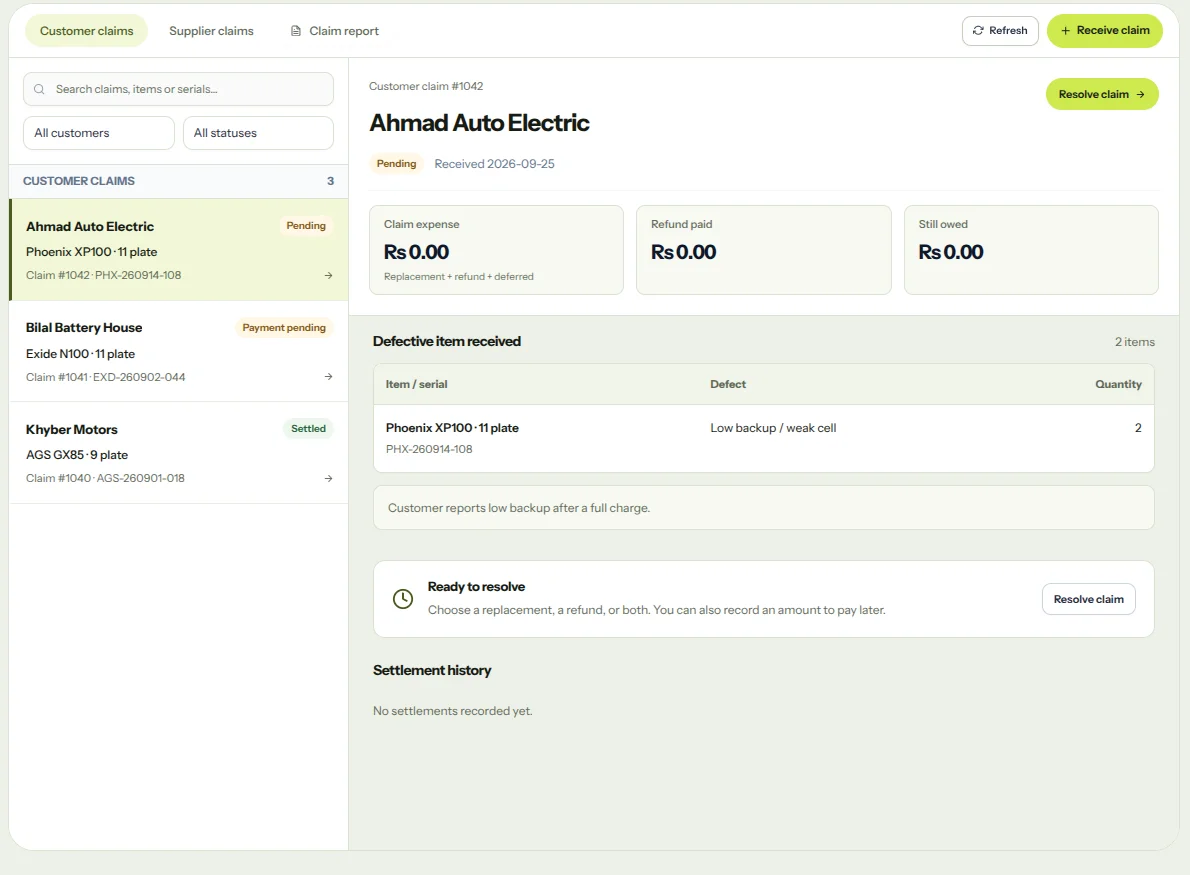
The customer claims screen brings the reported fault, received battery and settlement history together. See whether a replacement was issued, a refund was paid or an amount is still owed.
See how claim history works ↗︎Record each recovery as it arrives. You can see the remaining approved value after a partial settlement.
Record the approved credit against the supplier’s account. Keep the original claim available when you review the adjustment.
Start with a faulty battery at the counter, or ask our team about your current register.